API and MCP#
Lunapad exposes a REST API and an MCP server, both protected by the same personal API keys. Use them to script against your workspace from CI, a cron job, or an MCP-capable client like Claude Desktop or Claude Code.
This is built for a trusted, self-hosted team, not as a public multi-tenant integration surface. Anyone with a valid key can act on the shared workspace exactly as if they were logged in.
DEMO_MODE=1 blocks the automation API entirely.
Creating a key#
Open Settings → API Keys. Give it a name (so you can tell keys apart later), an optional expiry (30/90/365 days, or never), and create it. The full key is shown exactly once; copy it immediately. Lunapad only stores a hash afterward and can't show it to you again. Revoke a key any time from the same screen.
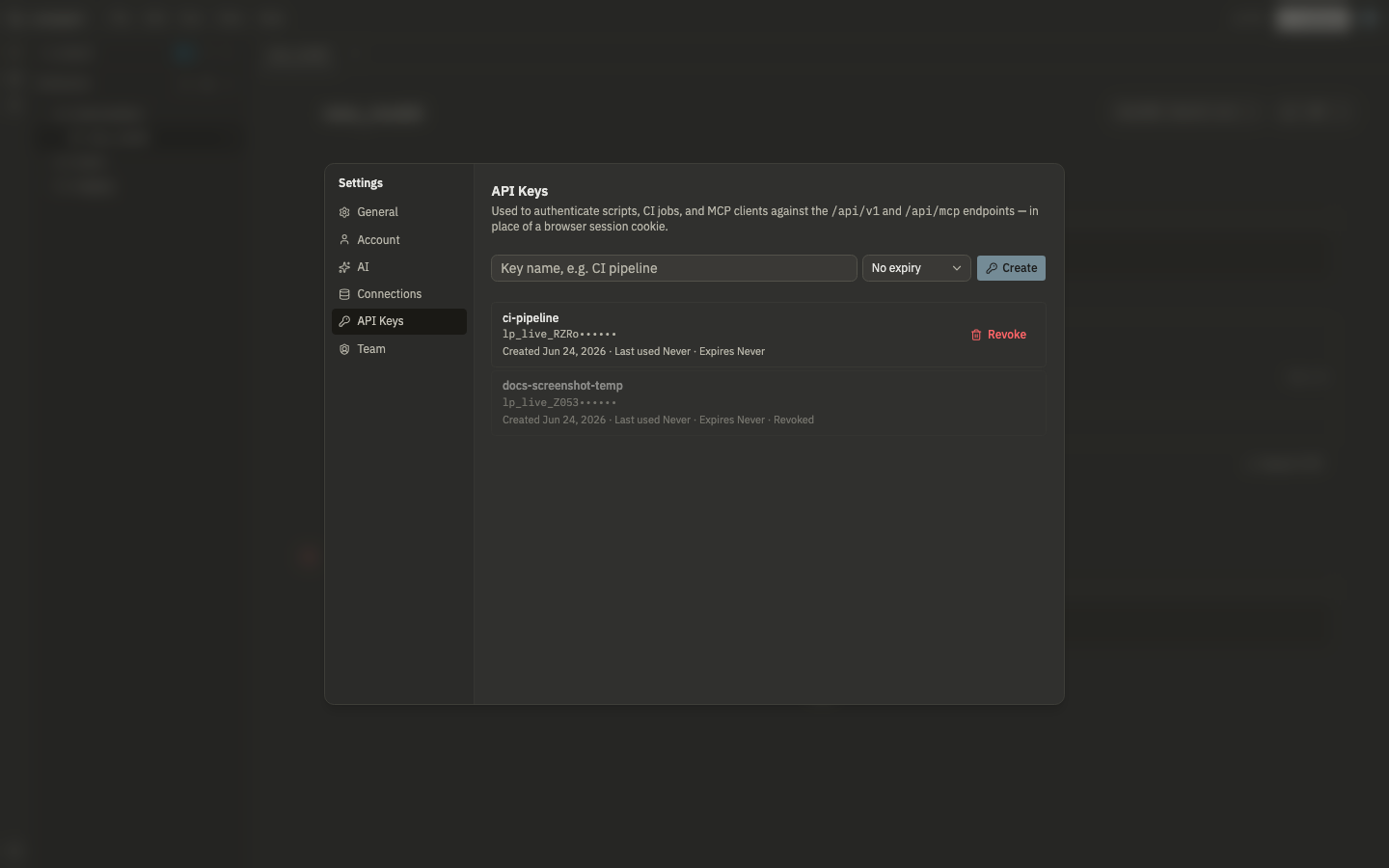
A key works as a bearer token in place of a browser session cookie:
curl http://localhost:3967/api/v1/connections \
  -H "Authorization: Bearer lp_live_..."
REST API (/api/v1)#
A deliberately curated subset, not full parity with every UI route:
| Endpoint | What it does |
|---|---|
GET /api/v1/connections |
List configured data sources |
POST /api/v1/query |
Run raw SQL against a connection |
POST /api/v1/prql |
Compile PRQL and run it against a connection |
GET /api/v1/notebooks |
List notebooks (project-folder mode only) |
GET /api/v1/notebooks/[id] |
Get one notebook's cells |
POST /api/v1/dbt/run |
Run dbt models |
POST /api/v1/dbt/compile |
Compile dbt models |
GET /api/v1/dbt/jobs/[jobId] |
Check a dbt job's status |
GET /api/v1/dbt/manifest |
Get the compiled model graph |
Notebook listing only works when a project folder is open in filesystem mode (see dbt projects). Ad hoc browser-only notebooks aren't reachable this way. The built-in DuckDB engine is also out of scope: there's no server-side DuckDB for headless runs, so query and prql need a real connectionId.
Example: run SQL#
curl -s http://localhost:3967/api/v1/query \
  -H "Authorization: Bearer lp_live_..." \
  -H "Content-Type: application/json" \
  -d '{
    "connectionId": "my_postgres",
    "sql": "SELECT id, email FROM public.users LIMIT 5"
  }'
Response shape (simplified):
{
	"columns": ["id", "email"],
	"rows": [{ "id": 1, "email": "[email protected]" }]
}
Errors return HTTP 400 with { "error": "..." }. Rate limit: 120 requests per minute per key (HTTP 429).
Example: run PRQL#
curl -s http://localhost:3967/api/v1/prql \
  -H "Authorization: Bearer lp_live_..." \
  -H "Content-Type: application/json" \
  -d '{
    "connectionId": "my_postgres",
    "prql": "from users\nfilter active == true\ntake 10"
  }'
Lunapad compiles PRQL server-side, runs the resulting SQL, and returns the same result envelope as /query.
MCP server (/api/mcp)#
The same API keys work as bearer auth for an MCP client. Point any MCP client that supports streamable HTTP at http://your-host:3967/api/mcp with an Authorization: Bearer <key> header:
| Tool | What it does |
|---|---|
list_connections |
List configured data sources |
run_query |
Run SQL against a connection |
run_prql |
Compile and run PRQL against a connection |
list_notebooks |
List notebooks (project-folder mode) |
get_notebook |
Get one notebook's cells |
dbt_run |
Run dbt models |
dbt_compile |
Compile dbt models |
get_dbt_job_status |
Check a dbt job's status |
get_dbt_manifest |
Get the model graph |
There's no per-tool permission scoping beyond the key itself: a key can do anything its owner could do from the UI.